March 18, 2026
How to Clean Your Phone Properly: A Step-by-Step Guide
Your phone is one of the most touched objects in your daily life. It goes everywhere with you—from the kitchen to the bathroom to your desk. That means it's collecting germs, oils, and dirt constantly. Here's how to clean it properly without causing damage.
Why Regular Cleaning Matters
Your phone screen can harbor thousands of bacteria. Studies show smartphones can be dirtier than toilet seats! Regular cleaning keeps your device hygienic and can even extend its lifespan by preventing buildup in charging ports and speaker grills.
What You'll Need
- Microfiber cloth (the kind used for glasses)
- 70% alcohol-based disinfectant wipes or solution
- Soft brush (optional)
- Clean hands
Step-by-Step Cleaning Process
1. Wash Your Hands First Start with clean hands so you don't retransfer germs onto your freshly cleaned phone.
2. **Power Down (Optional but Recommended) Turn off your phone before cleaning to avoid accidental taps and ensure thorough cleaning around the edges.
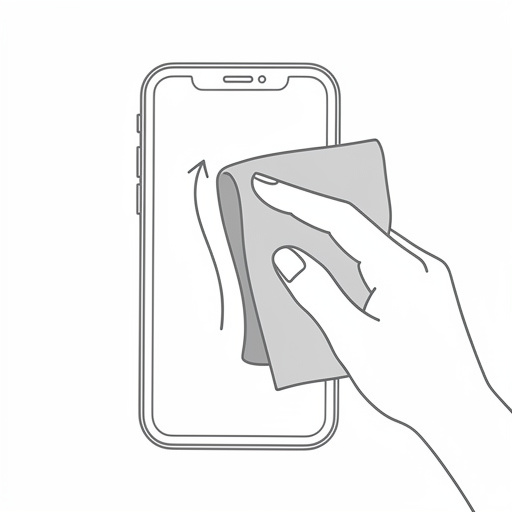
3. Wipe the Screen Gently Use a 70% alcohol wipe or apply alcohol solution to a microfiber cloth. Never spray directly on the phone. Wipe in circular motions.
4. Clean the Case Separately Remove the case and clean it with soap and water or disinfectant wipes. Let it air dry completely before reattaching.
5. Don't Forget the Ports and Crevuses Use a soft brush to gently remove debris from charging ports, speaker grills, and around buttons.
6. Let It Air Dry Wait at least 5 minutes before putting the case back on or plugging in your charger.
Quick Checklist
- [ ] Wash hands before starting
- [ ] Use 70% alcohol (not hand sanitizer)
- [ ] Apply solution to cloth, not directly on phone
- [ ] Clean the case separately
- [ ] Allow 5 minutes air dry time
Common Mistakes to Avoid
- Using hand sanitizer: It contains fragrances and moisturizers that can damage your screen coating.
- Spraying directly on the phone: Liquid can seep into ports and cause damage.
- Using abrasive cleaners: Avoid bleach, hydrogen peroxide, or rough scrubbers.
- Forgetting the case: A dirty case will just recontaminate your phone.
Fun Fact
Did you know the average person touches their phone over 2,600 times per day? That's plenty of opportunities to transfer germs!
Need help with your device? Bring it to Phone Fix & Repair at Baybrook Mall in Friendswood! We fix phones, tablets, PCs, gaming consoles, and more. If you can carry, we fix it!
Need professional phone repair? Bring it to Phone Fix & Repair at Baybrook Mall in Friendswood! We repair phones, tablets, PCs, and consoles. If you can carry it, we fix it! Book an appointment today.